Hello! Welcome to my little piece of the interwebs. I'm glad you stopped by! My page is currently under construction. A work in progress, shall we say. So please excuse the mess. :)

Please let me know you were here by leaving a comment. That way I can return the visit! And if you'd like to grab my blog button, scroll down to the bottom of the page.


Showing posts with label edit me challenge. Show all posts

Wednesday, October 24, 2012

Edit Me - Little Adventures

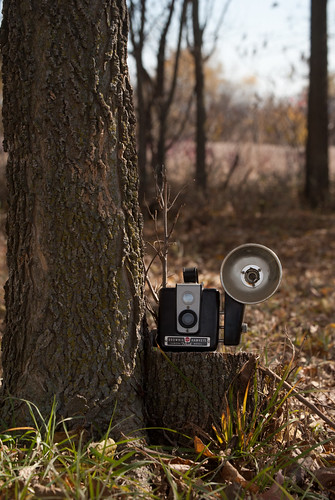
I haven't participated in the Edit Me Challenge for a while, so I thought I'd give it a whirl this week.  This is the photo that Amy from Little Adventures submitted ...


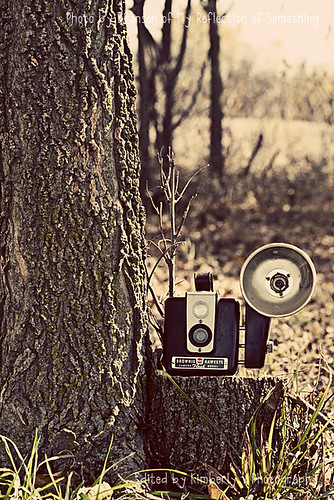
And here is my edit ...
Edit me - Little Adventures
Obviously I cropped it first.  Mostly because of my tendency to follow rules (ie. rule of thirds).  Yeah, it is a sickness.  Anyway, I played around with the photo a while and decided to go ahead with the Watercolor Painting technique that Ashley from Ramblings and Photos taught us a while back.  Here are the steps I have written down that I followed:
  1. Open image in PSE (basic/clean edit should already be done)
  2. Duplicate the background layer 3 times.  Turn off top 2 layers.
  3. Click on layer 1; go to Filters -> Artistic -> Cut out
  4. Set numbers to: Levels 4; Edge simplicity 4; Edge fidelity 2, click OK
  5. Change blending mode to Luminosity.  Do not adjust opacity.
  6. Turn on Layer 1 copy and click on it to select it.
  7. Go to Filters -> Artistic -> Dry Brush
  8. Set brush size to 10; brush detail to 10; texture to 3, click OK
  9. Change blending mode to Screen.  Adjust opacity as needed.
  10. Turn on Layer 2 copy, click to select.
  11. Go to Filters -> Noise -> Median
  12. Radius = 12 pixels
  13. Change blending mode to Soft Light.  Adjust opacity as needed.
  14. Flatten layers.
  15. Duplicate background layer.
  16. Run a high pass filter (Filters -> Other -> High Pass ... I have my radius set at 5 pixels, but use whatever you are comfortable with).
  17. Set blending mode to Soft Light.
  18. Flatten and save.

Wow!  That looks like a lot, but it really wasn't that complicated!  The only other thing that I did that isn't in my steps ... when I made changes to the layer one and made the blending mode luminosity, I lost the detail in the sky.  So I added a layer mask and painted off on the sky.  I ended up doing that on all 3 layers.

My thanks to Ashley for teaching this technique!  I don't use it often (mostly because I'm a clean edit kinda gal), but it is fun to play around once in a while.

Be sure to head over to the Edit Me blog to check out other great edits!
Edit Me

Friday, February 17, 2012

Edit Me Challenge - Week 7

Every week I have good intentions of participating in the Edit Me Challenge, but lately my weeks have been flying by and I just didn't make time.  Today the kids are home from school and keeping themselves busy, so I took advantage of the few minutes I had to myself and played with this photo.

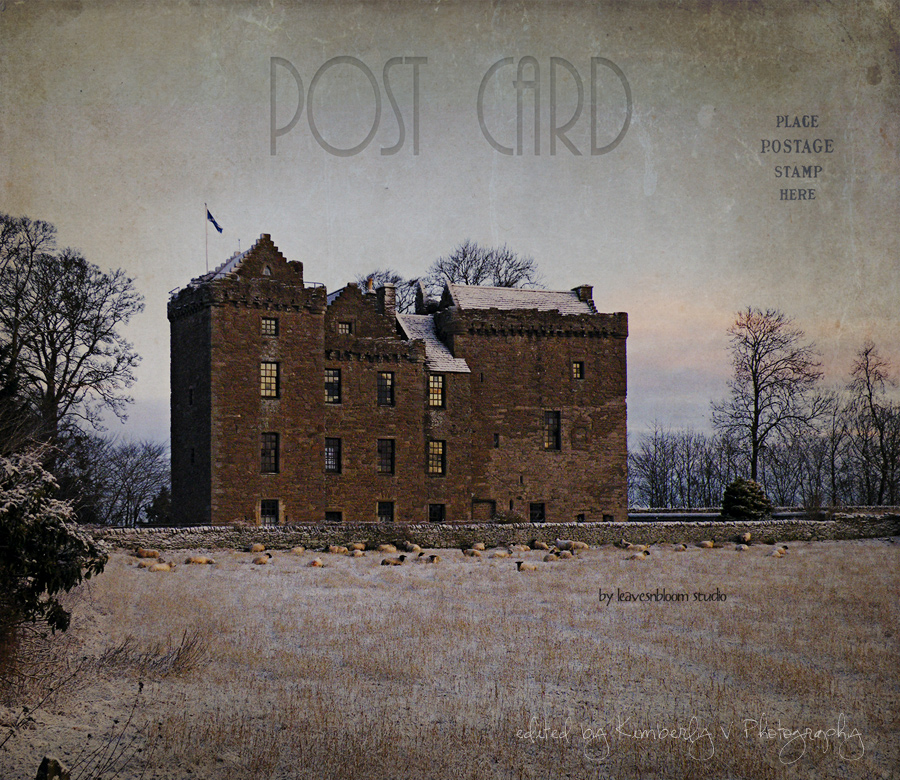
It was taken by Rosie at LeavesnBloom Photography.  I have admired Rosie's work for a while and am ever so grateful to her for sharing how she made her light box (which I finally just made a few weeks ago and have gotten much use of already).  She hosts a new link up called Color Me Weekly, which I have also been meaning to join.  One of these days I'll have all kinds of time and nothing to do.  Yeah, right.

Anyway, this is what I did to Rosie's lovely Scottish castle photograph ...
Week-07-edit
After a little tweaking in Adobe Camera Raw, I pulled it into Photoshop Elements and did the following ...
Ran a high pass filter
Added more sky by resizing the canvas
Added the postcard texture (the reason I needed more sky) from Shadowhouse Creations using the multiply blending mode because this photo just reminded me of a postcard.    (This texture was part of his January set in case you are interested in getting it.  And all his textures are free.)
Using a layer mask I lightened the texture from the middle of the photo, which is why it has a kind of vignette look.
Resized for web, sharpened, and added watermark.


That's it!  I can't wait to check out the other edits.  Have a great weekend!
Edit Me

Sunday, February 5, 2012

Scavenger Hunt Sunday 02.05.12

Time for another Scavenger Hunt Sunday!  

This week's items are: Strike a pose, Footwear, Hobby, Shiny, and Color me green.  And here are my interpretations ...

{strike a pose}
strike-a-pose
When I asked Alex to pose for me, he got all silly, as usual.  I don't really know what he's doing in this picture, but I just can't resist that sweet face.  Even if it is slightly off focus.  :)

{footwear}
footwear
Alex in his snow boots and me in my sneakers ... how you'll usually find us when we are outside.

{hobby}
hobby
Photography is still my main hobby and it takes me into some pretty precarious places at times ... like in the middle of these thorny bushes in order to get a shot of these berries.  :)

{shiny}
shiny
My gold-dipped rose is pretty shiny when the sun is shining on it.  I liked this out of focus shot ... probably because of all the bokeh.  :)

{color me green}
color-me-green
The other day Keira had this necklace on that she had made with her beads.  I loved the shades of green and blue.  I also love the face that she almost always includes her cross on her necklaces.


I felt a little off my game this week.  Probably because the Great Kitchen Remodel has me busy with other things.  Hoping to do better next week with these prompts ...

  1. Facial Feature (Sacha's suggestion)
  2. Shadow (Sacha's suggestion)
  3. Spicy (Kat's suggestion)
  4. Gold (Kat's suggestion)
  5. Fabric (Christian's suggestion)

Make sure you head over to Ashley's to check out some more great Scavenger Hunt photos!
Have a great week!

Saturday, January 14, 2012

Edit Me Challenge - Week 2

This week's Edit Me Challenge photo was submitted by Tara from Wild Ginger Photography.


My edit of this sweet sleeping baby.  
Week-02
After some basic edits in ACR, I cropped and then ran Vanilla Pop from Paint the Moon.  I then converted the photo to black and white.  Finally I decided I'd like to see it in sepia.  Nothing too complicated, but I like how it turned out.


Be sure to head over to the Edit Me Challenge blog to see more great edits!
Edit Me

Saturday, January 7, 2012

Project 366, 52, and Edit Me

We're trying to get back to normal around here after the holidays.  While I enjoyed sleeping in late and basically having nothing to do last week, I am glad that the kids are back to school and we are settling back into our routine.  We all seem to do better when we're in a routine.  Anyway, here's what our week looked like in pictures ...

2012-01-01
The first photo of the year and I almost didn't get it taken in time.  This was taken around 11:15 p.m.  
Honey loves her new bed.  We're still training her to stop sleeping on the couches though.  :)  I loved how the lamp from my computer room was lighting her fur.  She was a little annoyed that I was photographing her while she was trying to sleep.


2012-01-02-CellPhone
My first cell phone photo.  :)  Doug and I left Keira in charge of the boys at home and went kitchen shopping and ate lunch at Chili's.  While we were there it really started snowing hard and since my DSLR was in the car, I tried out my cell phone.  It's not great, but still not too bad.

2012-01-03
Honey and I went for a brief walk in the snow.  It was so cold and blustery and my fingers were freezing pretty quickly.  Even my face was wind burnt for a day or so afterward.  Thankfully it warmed back up within another day.

2012-01-04
Nick was sick on Tuesday and Wednesday and missed the first two days of school this year.  He laid around all day on Tuesday, in and out of sleep all day.  Wednesday he was feeling a little better but still pretty weak, so he stayed home from school again.  Once Alex went to afternoon Kindergarten, Nick enjoyed some quiet time ... just a boy and his Legos.  Building his Star Wars ships.

2012-01-05
Pretty sunset.

2012-01-06
My Project Life kit arrived!  I can't wait to get started working on it!  This is my "fresh start" photo, because I'm getting back into scrapbooking ... making a fresh start and not fretting about how far behind I am.  :)

2012-01-07
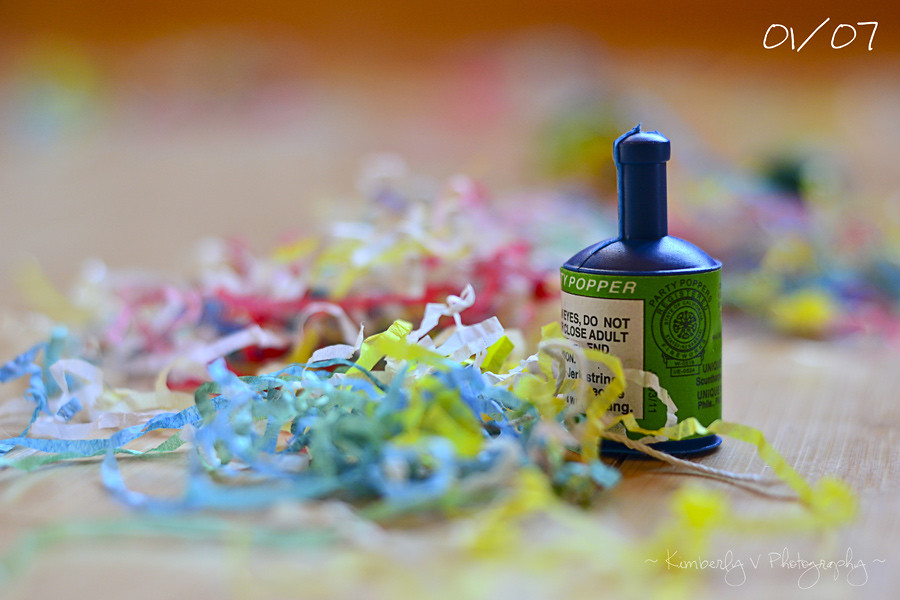
Happy New Year!  A few days late.  :)  The boys and I finished up the last of the party poppers today.  I tried and tried to get a photo of one popping, but was unsuccessful, so I opted for the messy floor instead.
Naptime Momtog     Inspire Me


Next up is my submission for My 3 Boybarian's Project 52 - the prompt is Resolution.  
Jan1-resolution
While I'm not really a New Year's Resolution making kind of gal, I do have a list of goals I'd like to accomplish this year.  Resolutions ... Goals ... whatever!  You call them what you want; I'll call them what I want.  :)
Anyway, one of my goals is to exercise 5-6 days a week (barring any illness), eat better, and lose 21 pounds by Memorial Day.  I was down 25.5 pounds in October 2011, but managed to put 11 pounds back on after hurting my knee and getting lazy about exercising and eating right.  So far I've done 4 days of The Shred (with these 2-pound hand weights) and we bought a Wii Fit Plus to go with our Wii yesterday.  The boys and I had a blast trying it out last night and today.  And I managed to burn some more calories, which is great.  I can't see the Wii Fit being my main form of exercise, but it will definitely make it fun to exercise.  Unlike The Shred, which so far, I hate.  :)
project 52 p52 weekly photo challenge my3boybarians.com


And last but not least, the Edit Me challenge is back!  Sarah of Naptime Momtog, who is now part of the Edit Me Team, submitted this week's photo of her sweet son, Dustyn and his dog, Dudley.  
Week 01 Edit Me Challenge
After some basic edits in ACR, I cropped the photo then ran The Coffeeshop Blog's Sun Kissed action.  It already had some great sun flare, but the action warmed the photo up and added a bit more.  Then I adjusted a few layers to suit my taste and viola!  
Edit Me


Have a great week!

Saturday, November 19, 2011

Edit Me Challenge - Week 26

I was able to find time to play along with this week's Edit Me challenge.  This beautiful photo from Alita Jewel's Treasures was the subject this time around.


And here's my edit ...
Week-26-edit
I did a clean edit first in ACR, although the original photo was so beautiful that I didn't do much.  Just adjusted the clarity and saturation slightly.  Then I pulled it into PSE and ran The CoffeeShop Blog's Velvet Truffle action twice.  I'm really loving that action these days!  :)  Then I added a layer of purplish-pink and lowered the opacity way down.  Last, I added a light vignette with The Pioneer Woman's Edge Burn action.


This photo is so pretty and magical.  I absolutely love it!


That's it!  Make sure to head over to the Edit Me Challenge blog to see more beautiful edits!
Our tiny BIG Life

Wednesday, November 2, 2011

Edit Me Challenge

I decided to play along with the Edit Me Challenge again this week.  Since I'm just sitting at home nursing myself back to health after having a couple icky days with a cold, I figured why not?  Laundry and dishes can wait a few more minutes, right?  :)

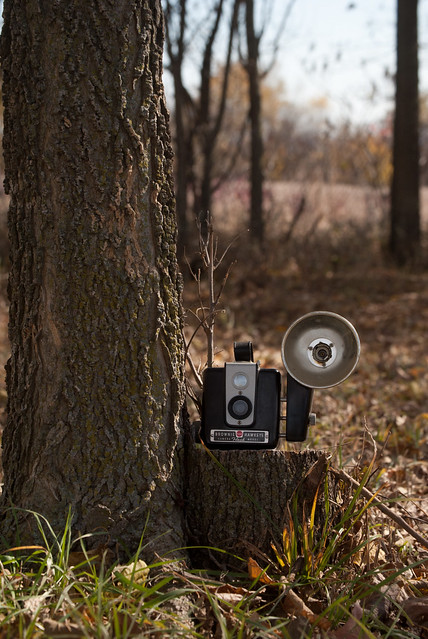
So here's the photo Branson from My Reflection of Something submitted ...
Week 24 original

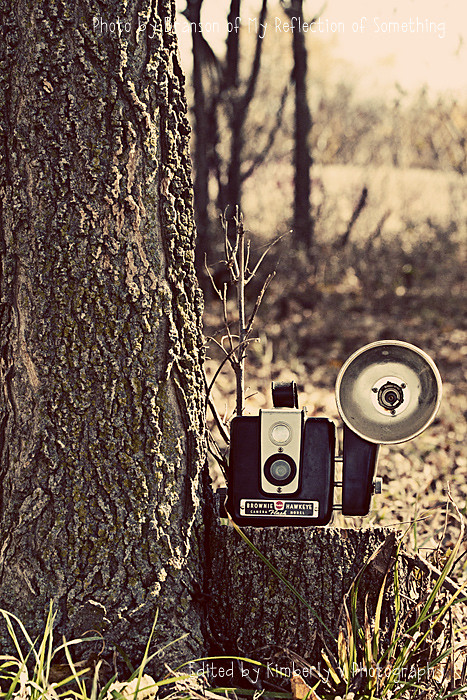
And here's my edit ...
Week 24 Edit Me Challenge
What I did ...
1.  Clean edit in ACR - just some slight adjustments to exposure, blacks, clarity, and vibrancy.
2.  Pulled into PSE and cropped slightly.
3.  Ran The Pioneer Woman's Seventies action.
That's it!  Easy peasy!


How about a side by side comparison?
Week 24 original    Week 24 Edit Me Challenge

Our tiny BIG Life


Head over to the Edit Me Challenge blog to see more great edits and play along!


Also, don't forget to link up your photo(s) with my brand spankin' new Wild & Wonderful Wednesday photo link up!


Wednesday, September 21, 2011

Edit Me Challenge

I've been a lurker of the Edit Me Challenge for a while now.  I just never seemed to have time to participate.  But this week I decided to go on and jump right in.  I still don't really have time, but I'm making time.  :)

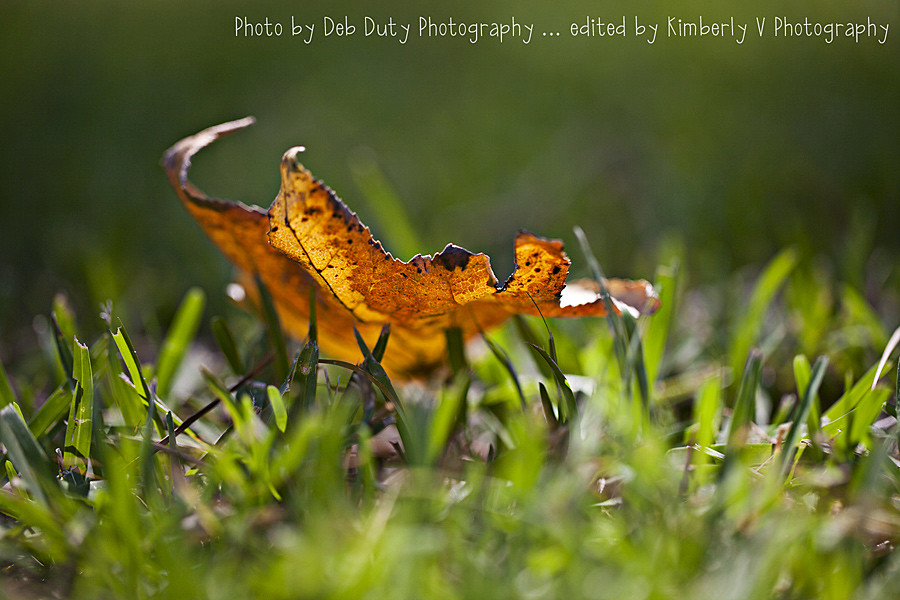
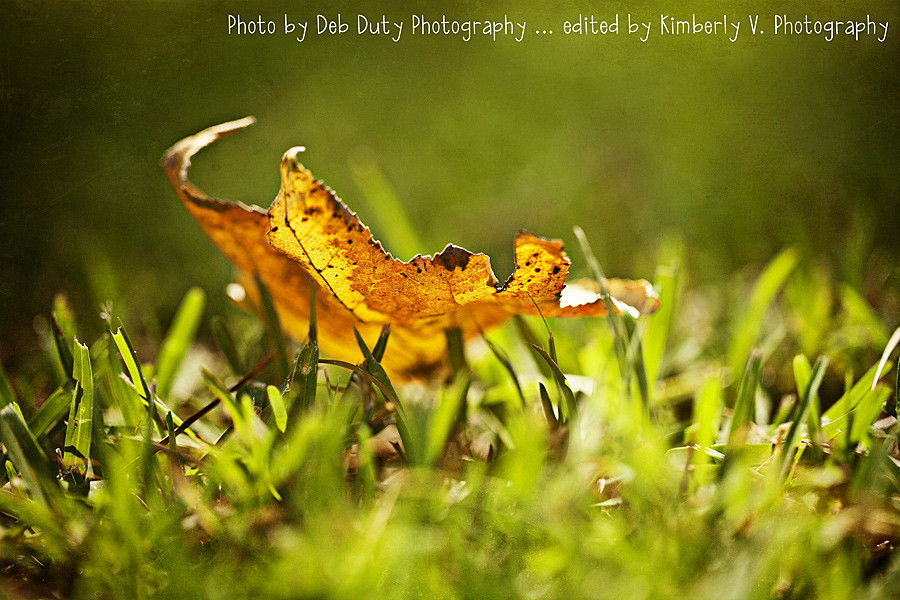
The photo to edit this week comes from Deb of Deb Duty Photography.  I've been following Deb for a while now, ever since I discovered her blog through a Project 365 link up (I think).  She is incredibly talented and I look forward to seeing her photos each week.  In fact, she's starting a new link up tomorrow called "This or That Thursday", so be sure to check that out!

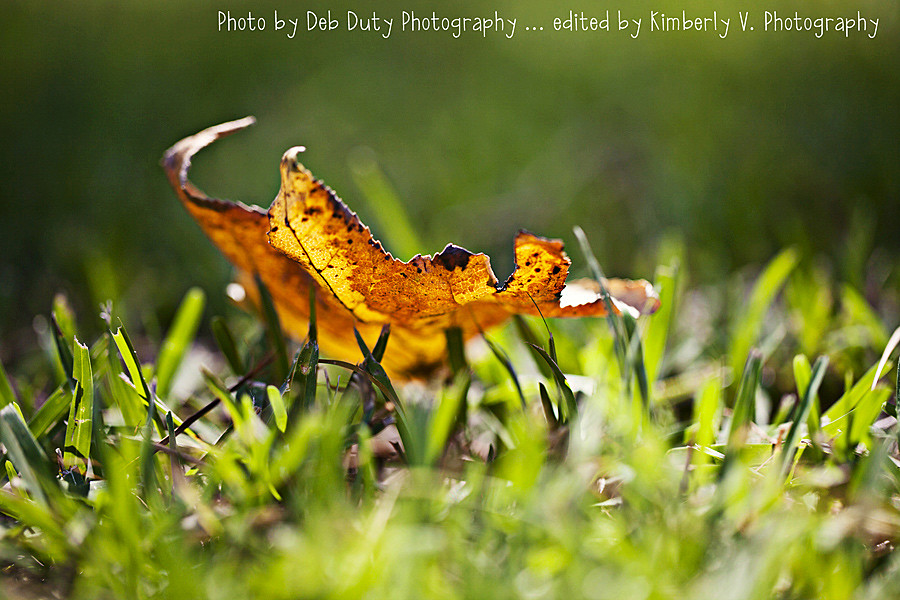
Anyway, here are my edited versions of her great photo ...
Deb-clean-edit
{clean edit in ACR}

Edit-me-Deb1
{with Paint the Moon's Sunny Days action}


My entry for this week's challenge ...
Edit-me-Deb2
{in addition to the above, color fill (golden/orange) at 50% and texture by Shadowhouse Creations (DC-Gold) at 100%} 
(mouse over to see the clean edited version)


This was fun!  Hopefully I'll get a chance to play along again!  Happy Wednesday everyone!